
Installation methods
1. Find the 계좌이체 - Oceanpayment installation through the APP market:https://apps.shopify.com/oceanpayment-4

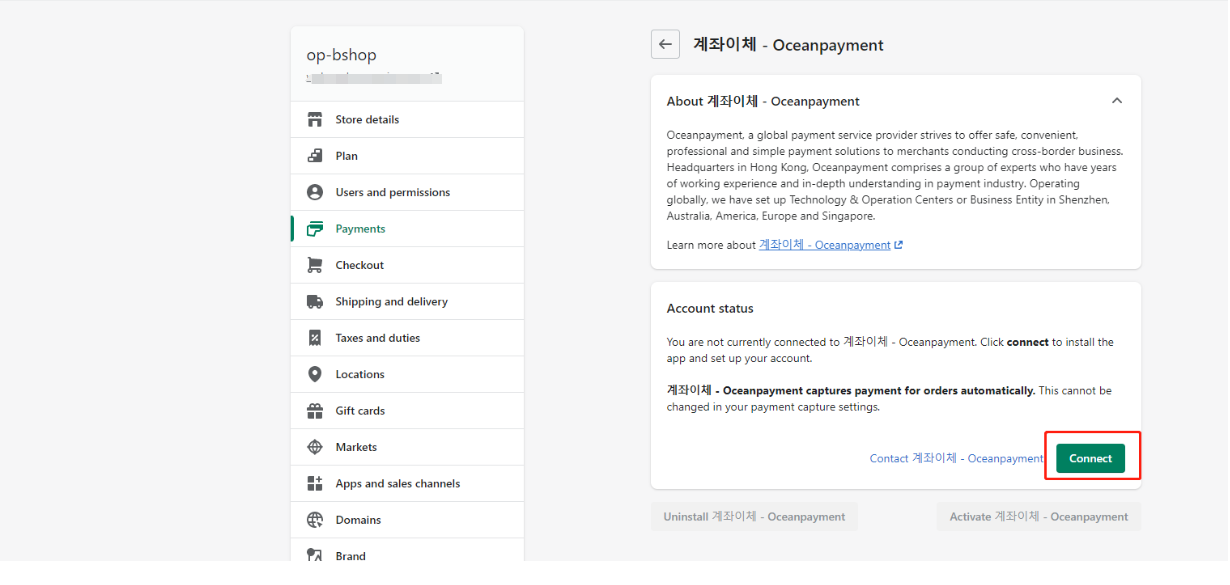
Step 2 Configuration automatic payment authorization
The default setting of the transaction is automatic authorization: [Payment capture] - [Automatic], please do not set it to manual, otherwise there will be problems with inconsistent transaction status.



Configuration information
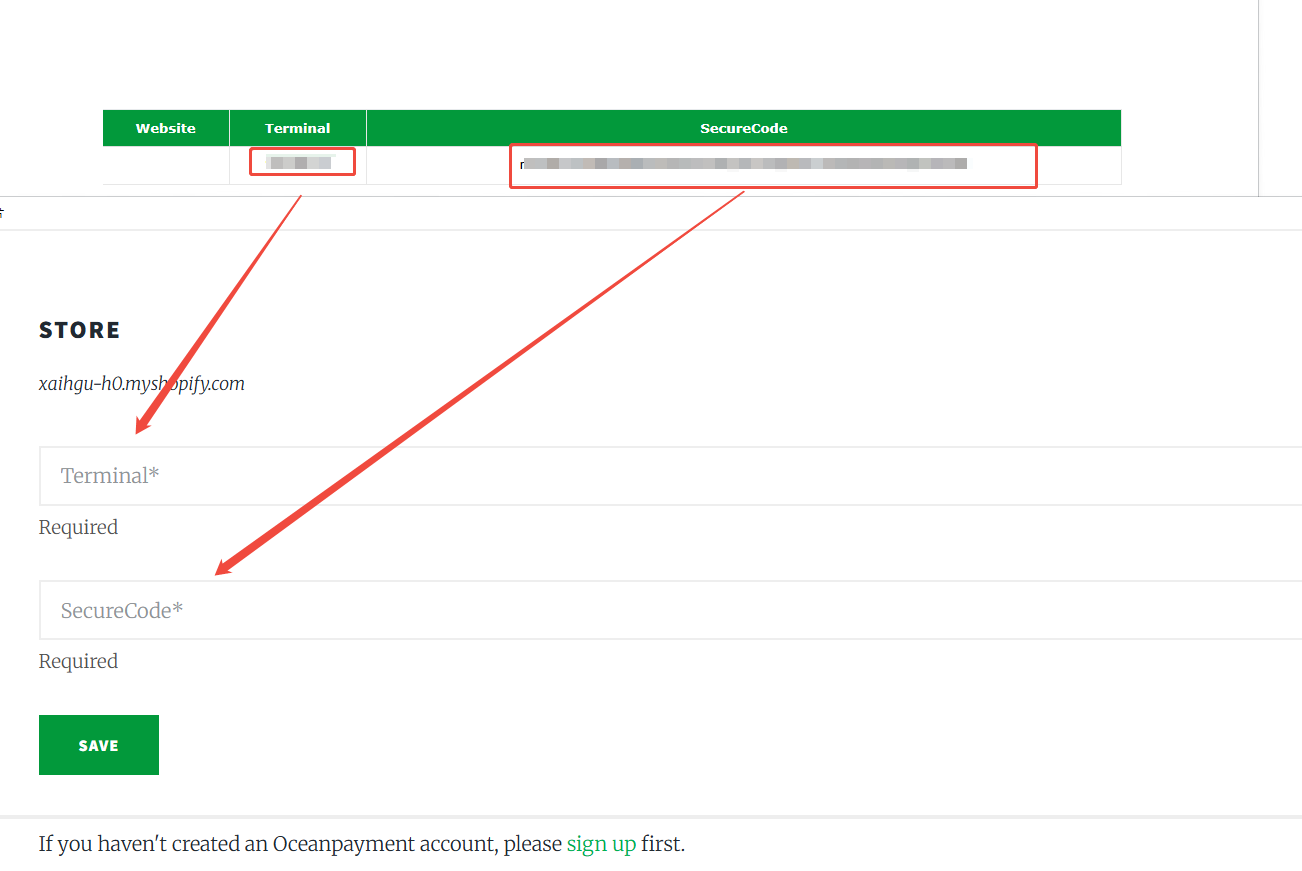
1. Find the Oceanpayment fill in Terminal,SecureCode, according the content of the email,and save.
Payment logo
1. Check the payment logo.

Environmental description
1. Test mode is not checked, otherwise the test environment will be submitted.

Enable
1. Enable and test for support.

Precautions
If there are two Oceanpayment credit card channels at the same time, you need to disable the old mode credit card. If you are not sure how to choose, please consult the corresponding operation support.